School settings help teachers keep courses, assignments, AI review, and progress summaries using the same curriculum and marks. Use them to choose a default curriculum, create marking schemes, and override the scheme for a class course when needed.
School Settings and Marking Schemes
Where to manage school settings
Open Settings → School. Independent teachers can manage their own school settings. In a team account, owners and admins can manage school settings; other members can use active schemes but cannot edit them. Students do not see these settings.
Use the curriculum selector to choose the default curriculum for courses, Study context, and assignment creation where a more specific course or child setting does not already apply.
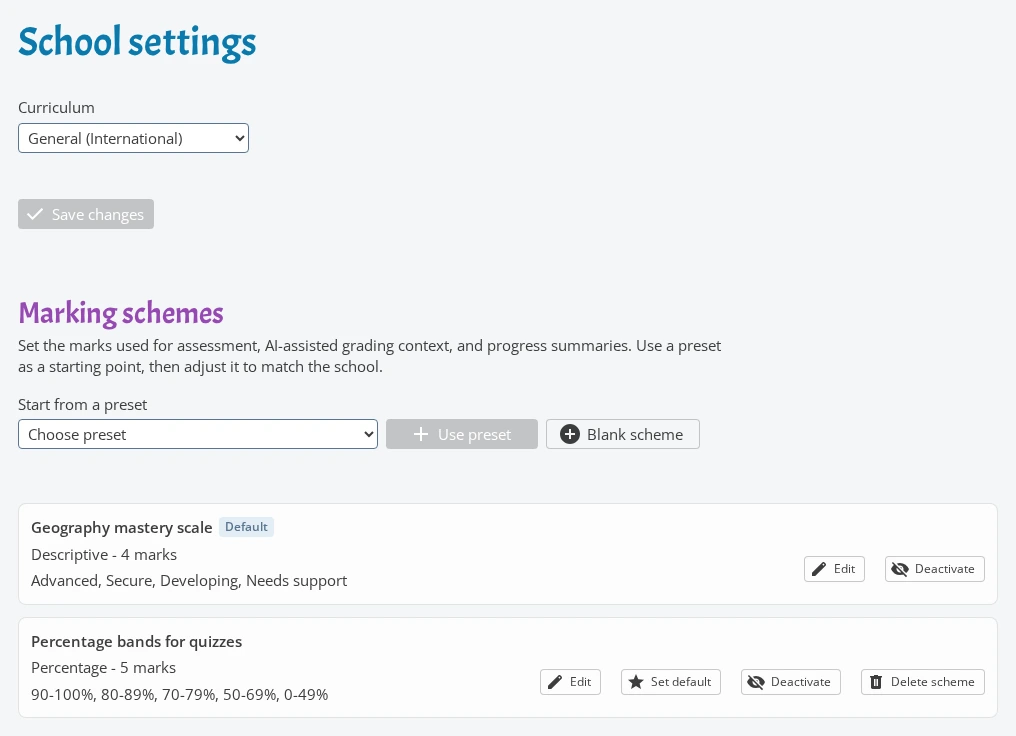
Create marking schemes
A marking scheme defines the marks teachers use when reviewing work. Start from a preset such as A-F, percentage bands, standards levels, numeric scales, or pass/fail, then adjust it for your school.
Only active schemes can be selected in classes. The default active scheme is used unless a class course has its own override. Default schemes cannot be deleted, and schemes already used by class courses must be deactivated instead of deleted.
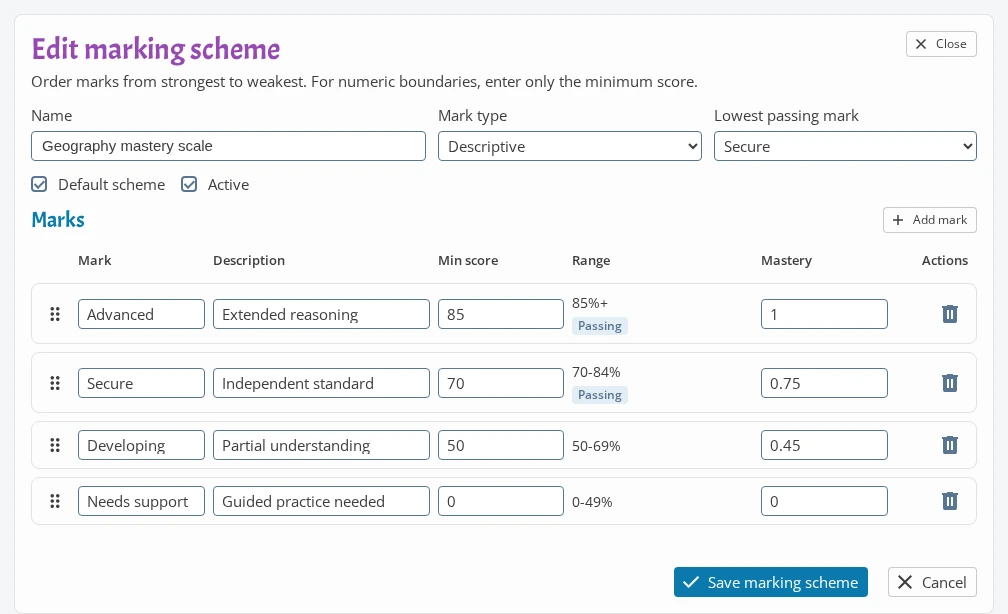
Edit marks, pass levels, and mastery values
Each scheme has a name, mark type, ordered marks, and an optional lowest passing mark. Keep marks ordered from strongest to weakest.
Minimum score boundaries are optional. If you use them, set a minimum score for every mark and keep the boundaries decreasing down the list. Mastery values run from 0 to 1 and help progress views compare marks from different scales.
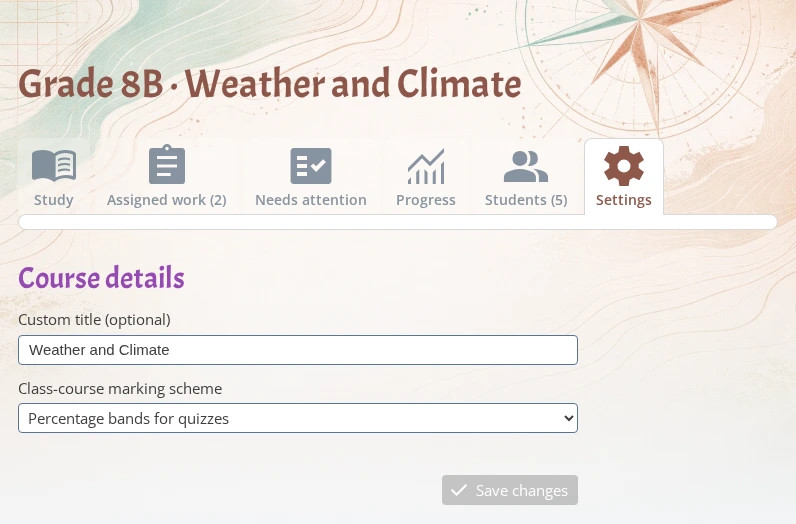
Choose a scheme for a class course
Open a class course and go to Settings to choose the marking scheme for that class course. Leave the selector on the default scheme when the school-wide scale is correct, or choose another active scheme for classes that use a different scale.
The class-course choice is used when reviewing assignments connected to that class course and when recording learning evidence for course progress.
How schemes affect review and progress
Assignment review uses the effective scheme: the class-course scheme first, otherwise the active default scheme. In review, iDroo can show the scheme marks as choices and can derive a mark from a point score when score boundaries are available.
For assignments without points, AI-assisted review can use the effective marking scheme as context for suggested marks. Manual learning records use the same mark choices. Course progress and attention views can then show the mark labels, passing status, and normalized mastery values consistently.