Board backups help board owners recover recent board work after accidental deletes or other large changes. They are temporary recovery snapshots, not a permanent version history.
Board backups and restore
Open board backups
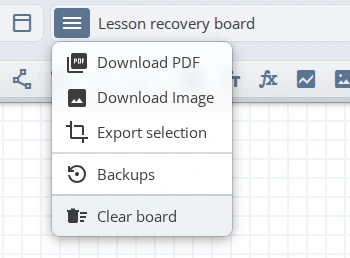
Open the board menu in the top-left toolbar, then choose Backups. The option is shown only to the board owner and is available on paid plans.
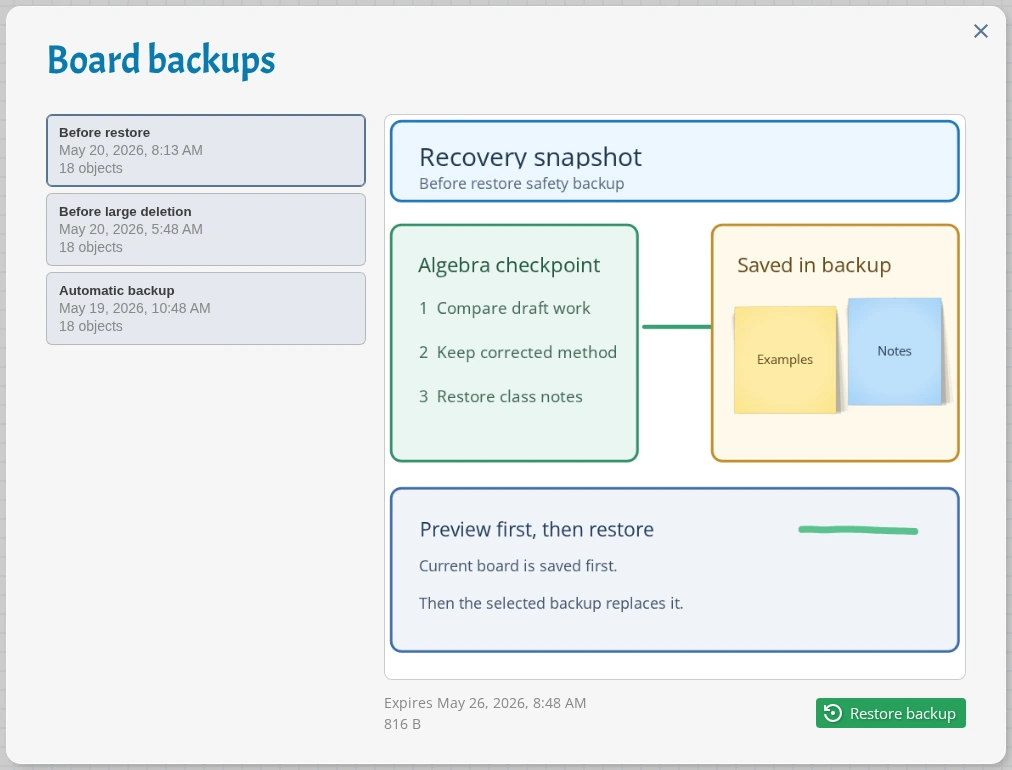
The Backups panel lists recent snapshots with the backup reason, date, object count, expiry date, and size. Select a backup to preview the saved board before restoring it.
When backups are created
iDroo creates backups automatically when a board is saved and a backup is due. Normal board work can create an automatic backup roughly once per day.
iDroo also creates a backup before large destructive saves, such as changes that remove many existing objects. When you restore a backup, iDroo creates a safety backup of the current board first.
Restore a backup
- Open Backups.
- Select a backup and check the preview.
- Click Restore backup.
- Confirm the restore.
Restoring replaces the current board content with the selected snapshot. After the restore finishes, the board reconnects so you can continue working from the restored state.
Limits and retention
- Backups are available to board owners on paid plans. They are not available on Starter.
- iDroo keeps up to five active backups per board.
- Backups expire after seven days.
- Participants with edit or view access cannot open or restore board backups.
- Backups are meant for recent recovery. Use board exports when you need a long-term archive.