Courses help you organize teaching into reusable lessons, materials, assignments, and class progress. Build the plan once, then use it with each class you teach.
Courses and Classes
Create a base course
Open Courses and create a course for the unit, topic, or term you teach. You can add a subject and grade so iDroo can suggest relevant curriculum structure and connect Study practice more easily.
Use the course content tab to add lessons. A lesson can be a topic heading or a regular lesson. When matching curriculum topics are available, you can import topic and lesson structure instead of building everything by hand.
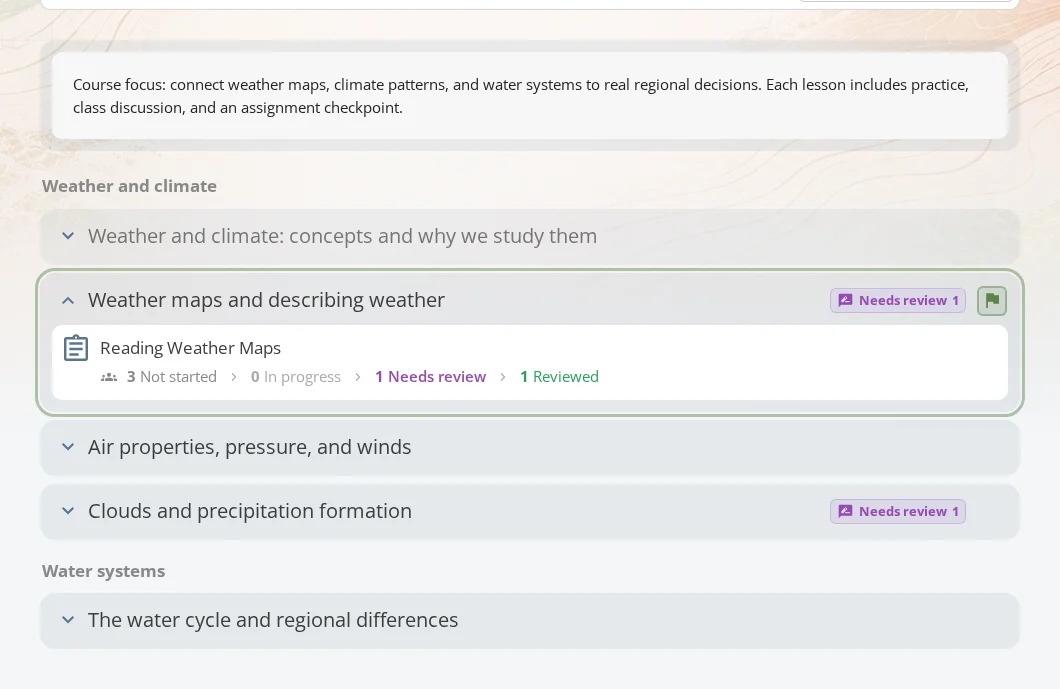
Add content to lessons
Lessons can contain several types of material:
- Notes for instructions, explanations, and summaries.
- Links and videos for outside resources.
- Files, images, and snippets for reusable handouts or examples.
- Boards for live teaching, prepared diagrams, or worked examples.
- Assignments for homework, quizzes, tests, or lesson checks.
Keep each resource close to the lesson where students need it. That makes the course easier to scan and easier to reuse later.
Use a course with a class
Classes hold student rosters. Adding a course to a class gives that student group its own assignments, progress, and feedback while keeping your original course reusable.
From a course used with a class, teachers can:
- Open the Content tab to guide students through lesson materials.
- Set a focused lesson so students know what to work on next.
- Open Assignments to manage assigned work connected to the course.
- Open Students to review the class roster.
- Adjust class settings, including the marking scheme when available.
This lets the same course support different classes while each class keeps its own due dates, submissions, progress, and feedback.
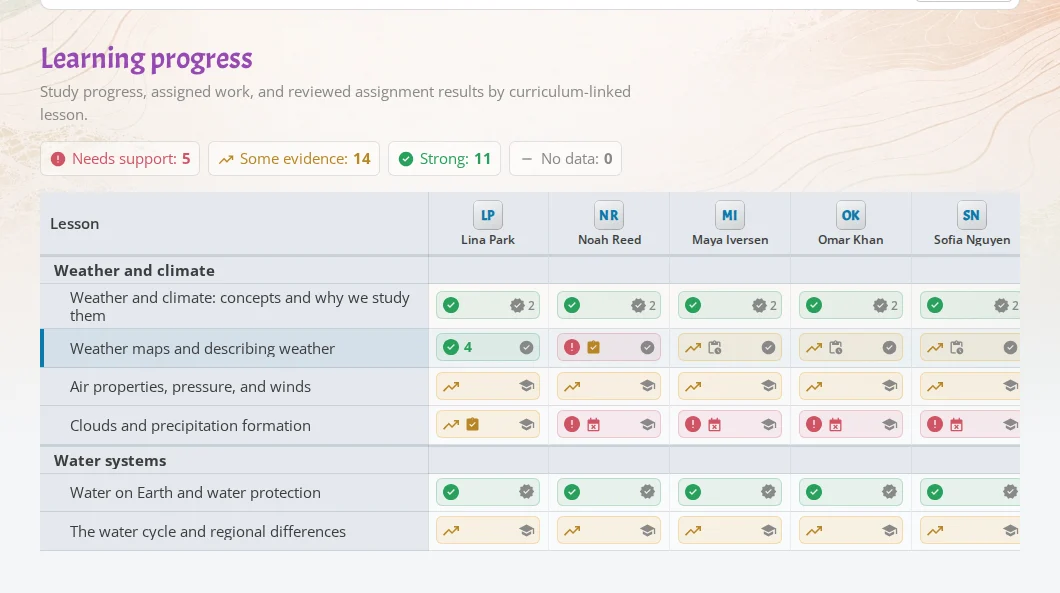
Track progress and attention
The Progress tab shows lessons down the side and students across the top. Each cell summarizes what iDroo knows about one student and one lesson.
Progress details can come from:
- Assignment work and reviewed submissions.
- Study and AI Tutor practice.
- Notes or learning records added by a teacher.
Open a cell to see details or add your own note. The Attention tab collects items that need follow-up, such as overdue work, submissions waiting for review, and lessons where a student may need help.
What students see
Students see a simplified course view.
- Content shows lessons and resources.
- Assignments shows course work they need to complete.
- My progress highlights lesson status and gives practice actions when Study is available.
- Feedback collects marks and reviewed work from the course.
When a student starts Study practice from a course lesson, they can go back to the course afterward.