Study gives students a structured place to practice, see progress, and get AI Tutor help that supports learning instead of simply handing over answers.
Study and AI Tutor
Study overview
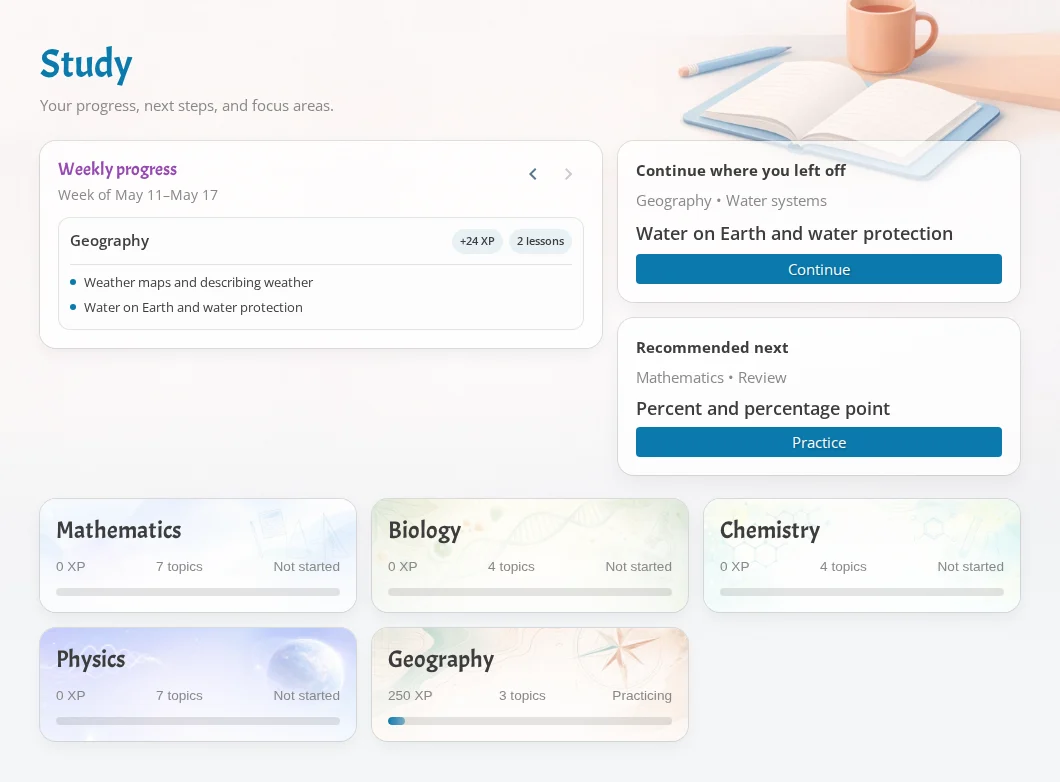
The Study page helps students decide what to work on next.
- Subject cards show progress across topics.
- Weekly progress summarizes recent learning activity.
- Continue and recommended cards point students toward useful next practice.
- Subject pages break progress down into topics, lessons, and learning goals.
If a student has no progress yet, Study starts empty until they begin practice or receive course-linked work.
Subjects, lessons, and unlocks
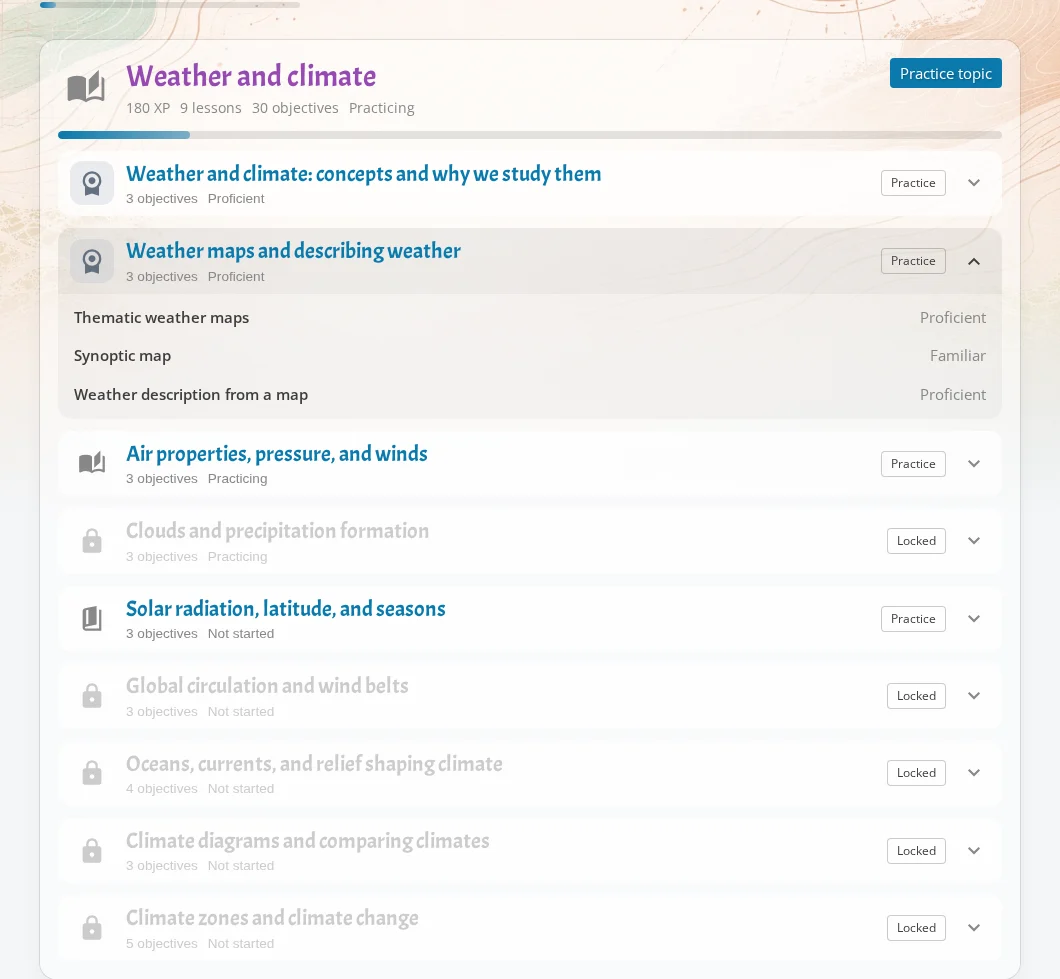
Subject detail pages show topics, lessons, and learning goals with practice status.
Lessons can be locked when prerequisites are missing. Open the locked lesson to see what needs to be practiced first. This helps students move through material in a more sensible order.
Each topic or lesson can start practice with the AI Tutor when the student has access.
Practice with AI Tutor
When students start practice, iDroo opens the AI Tutor with the course or lesson they are working on when that information is available.
The tutor can:
- Give hints.
- Check a step.
- Explain a concept.
- Offer a similar example.
- Start a practice exercise for the selected skill.
If practice started from a course, the student can return to the same course view afterward.
How Study connects to courses
Study progress can appear in course progress next to assignments and teacher notes.
For teachers, this means independent practice is visible in the same place as assigned work. For students, it means course lessons and Study practice reinforce each other instead of living in separate tools.
Learning integrity
iDroo AI Tutor is intended to act like a coach. It should help students learn and improve problem-solving rather than act as an answer giver.
Good uses include asking for a hint, checking whether a step is valid, asking for a related example, or practicing the same skill with a new problem. When students ask only for a final answer, the tutor should steer them back toward explanation, reasoning, or guided practice.