Worksheet annotation
Turn a worksheet into a live teaching space
Upload a worksheet, zoom into one question, mark it up with students, and keep the reviewed work available after the lesson.
The practical problem
Worksheets are useful. Screen-sharing them is not enough.
A worksheet is often the clearest starting point for a lesson: the student has the same prompt, the teacher can see exactly what went wrong, and the next example can be based on real work.
The awkward part is doing that online. Static PDFs, screenshots, and scanned homework are hard to discuss if the teacher cannot point, zoom, write, and leave the marked-up version somewhere useful. iDroo turns that worksheet into a shared board rather than a file everyone stares at.
A focused review flow
Work on one question without losing the rest of the page
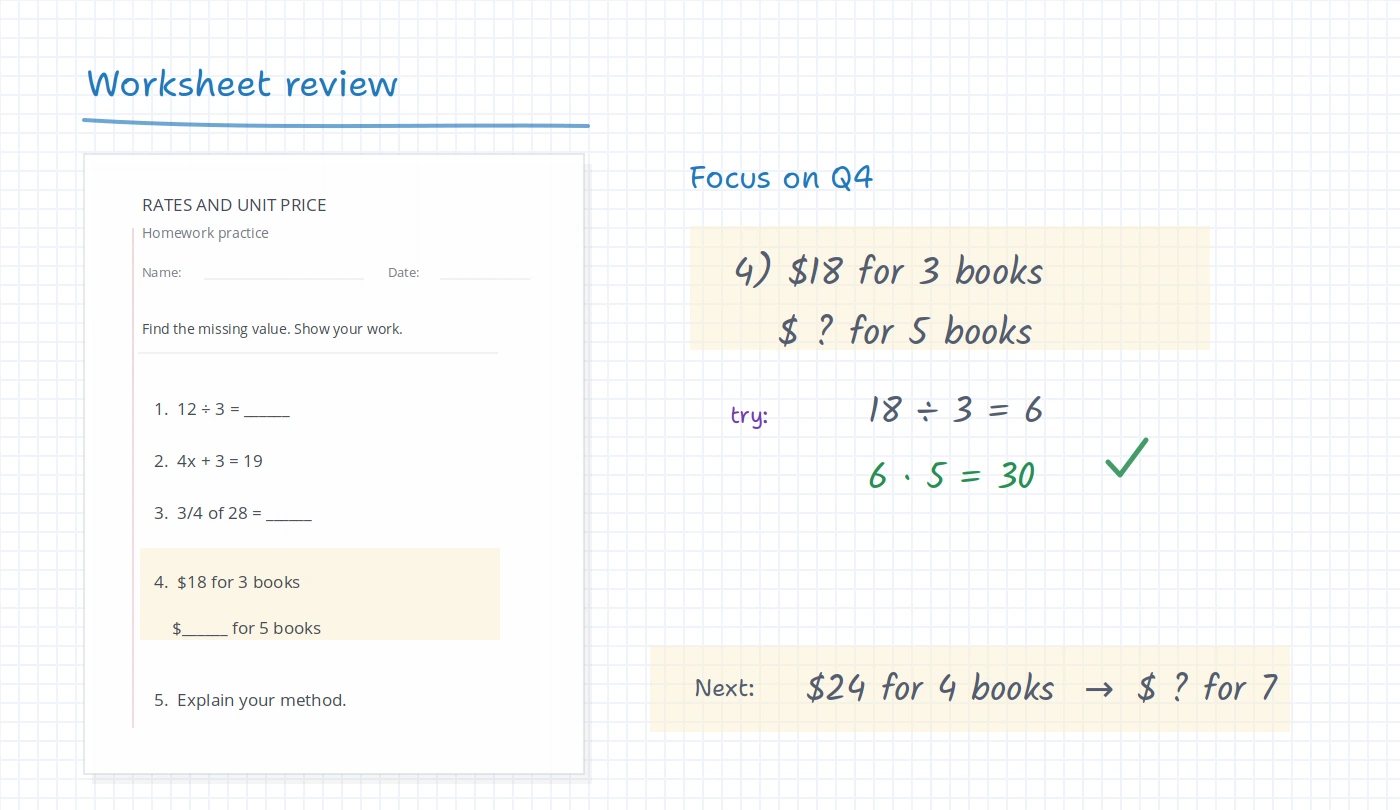
The page can stay on the board while the teacher focuses the lesson around one problem. That makes it easier to move between the original prompt, the student answer, the correction, and a similar follow-up question.
Bring in the worksheet
Add a PDF, image, or homework screenshot to the board so everyone is looking at the same material.
Zoom into the teachable moment
Crop attention to a single question, underline the important words, and mark the step that needs discussion.
Annotate over the work
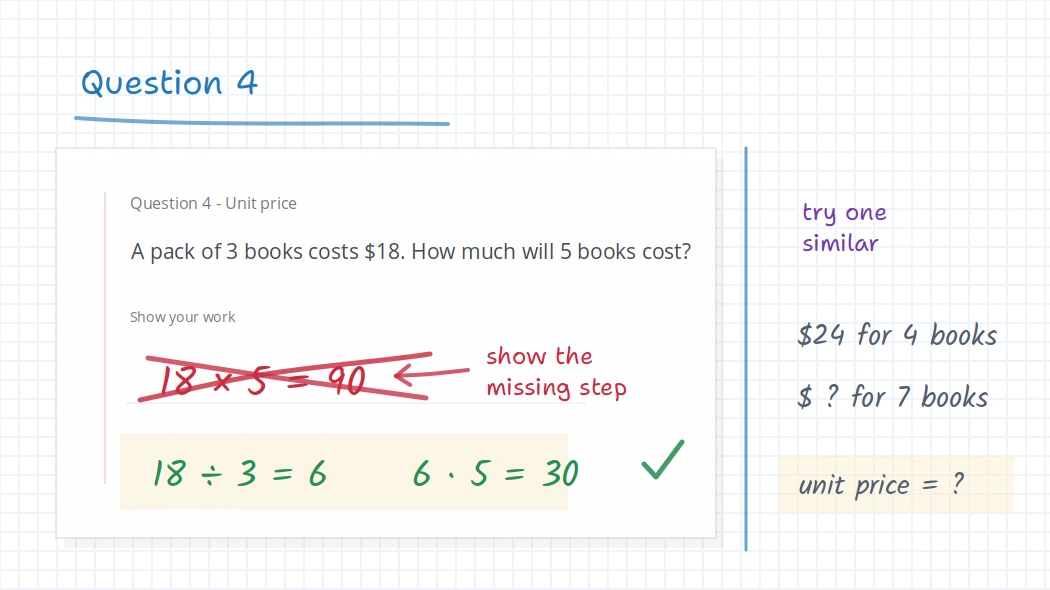
Use handwriting, shapes, highlights, arrows, and short notes to show what to fix and why it matters.
Leave a next step
Keep the reviewed work on the board and add a similar practice prompt so the student can continue from the lesson.
Where it fits
Useful for more than math homework
Math homework review
Mark the first wrong transformation, keep the corrected version visible, and add a nearby practice problem.
Language tutoring
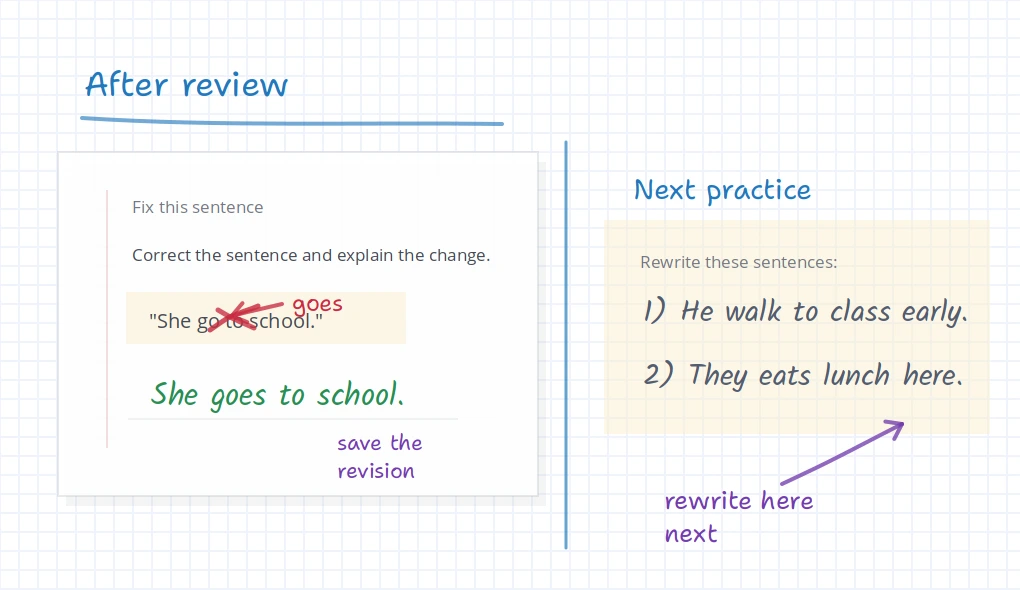
Underline a sentence, correct grammar, circle vocabulary, and let the student rewrite a better version.
Science worksheets
Label diagrams, annotate formulas, and connect the worksheet question to a visual explanation.
After the lesson
Keep the reviewed worksheet from becoming another lost file
When the lesson ends, the marked-up worksheet can still be useful. Students may need to revisit the corrected question before doing the next one, and teachers may want to reuse the same explanation with another group.
With iDroo, the worksheet review can stay on the board. For more structure, teachers can connect the work to courses, assignments, or Study practice instead of sending another disconnected file.
Before you try it
Questions teachers ask about worksheet annotation
Can I use PDFs, images, or homework screenshots?
Yes. You can bring visual material onto the board and annotate over it during a lesson or review session.
Can students write on the worksheet too?
Yes. The teacher can leave room for a student attempt, correction, rewrite, or diagram label so the worksheet review becomes interactive.
Can students see the marked-up work afterward?
The reviewed work can remain available on the board. Teachers can also build more structure with courses and assignments when they want a clearer follow-up workflow.
Is this only for math worksheets?
No. It works for any subject where seeing and marking the original material helps: math, language tutoring, science diagrams, reading passages, and homework review.
Try iDroo with a real worksheet
Start with one page you already use. Add it to a board, mark up one question, and see whether the reviewed work is easier for students to follow.
Create your free account