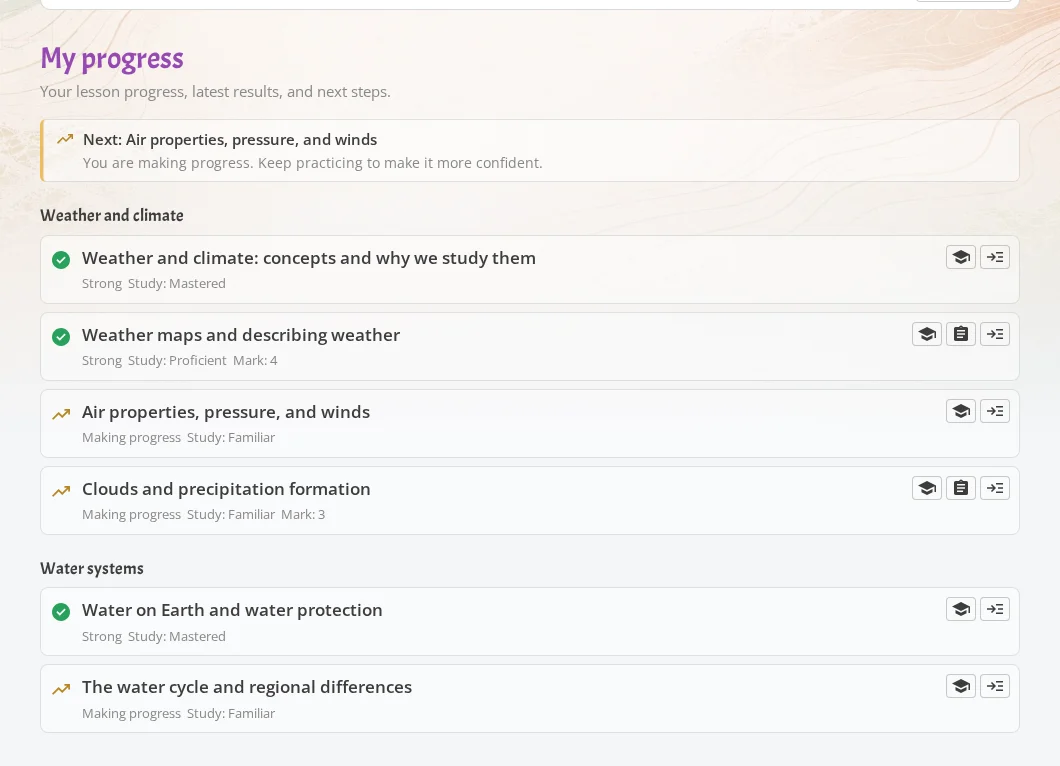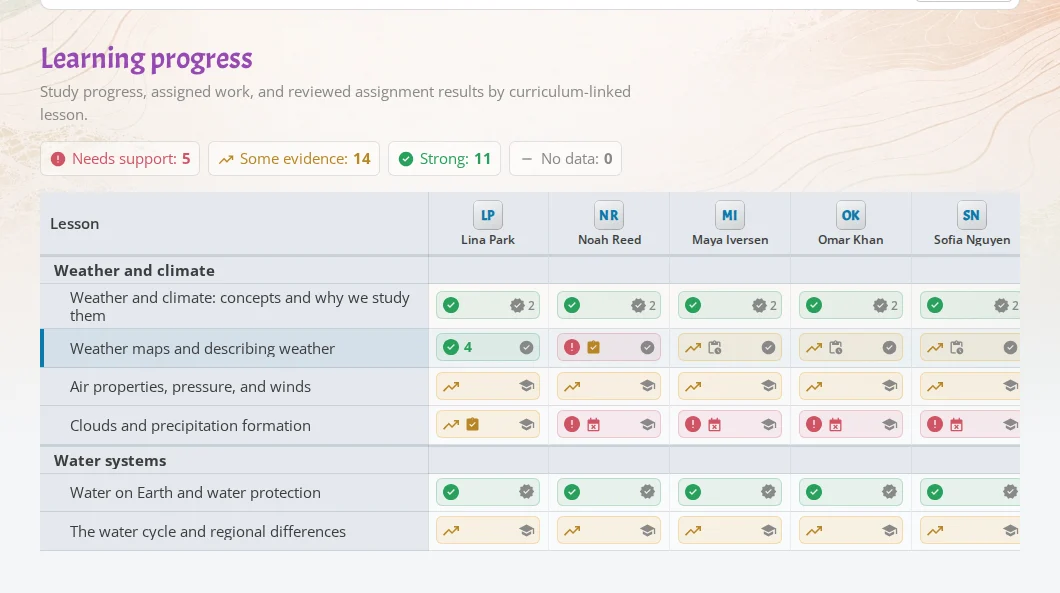
Course progress view in iDroo

Turn lesson planning into a reusable teaching flow

Organize boards, resources, assignments, and practice in one course. Reuse it with each class and see who needs support before small gaps become big ones.

What courses make easier

Prepare lessons once

Keep instructions, boards, links, files, and assignments beside the lesson they belong to, so every class starts from a tidy plan.

Reuse with every class

Teach the same course with different student groups, set the current lesson, and keep each class’s work and progress separate.

Know who needs help

See overdue work, reviewed assignments, Study practice, and teacher notes together so follow-up is quicker.
Plan once, teach it again and again

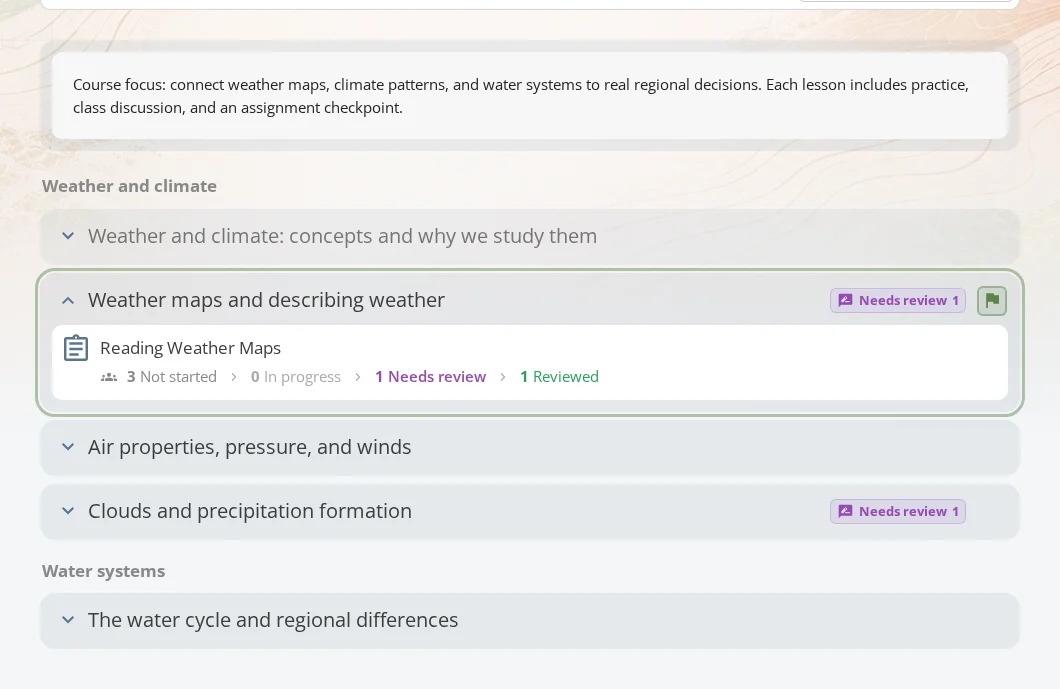
Create a course for a unit, topic, or term, then divide it into lessons. Each lesson can hold:

  • Text notes for explanations or instructions.
  • Links, videos, images, files, and reusable snippets.
  • iDroo boards for live teaching or worked examples.
  • Assignments for homework, quizzes, checks, or tests.

When a matching curriculum structure is available, iDroo can help you bring in topics and lessons so you are not starting from a blank page.

iDroo course materials organized by lesson

Use the same course with each class

One prepared course can support different student groups without copying the whole plan.

  • Add the course to a class roster.
  • Choose the lesson students should focus on now.
  • Manage assignments, students, progress, and settings for that class.
  • Keep each class’s due dates, submissions, and feedback separate.

That means your planning stays reusable, while each class still gets its own day-to-day teaching space.

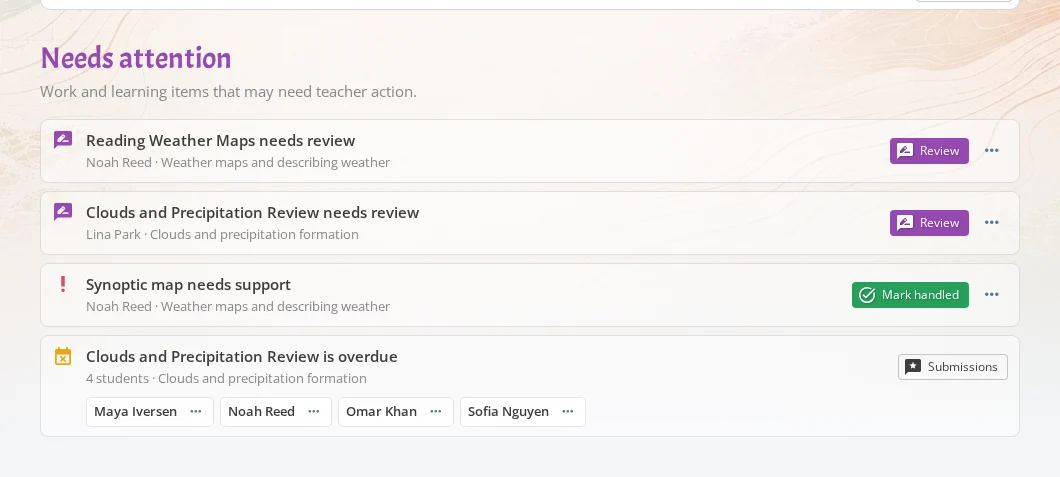
Course attention view showing students who need follow-up

A clearer teaching loop

Teach

Use the course content tab to guide the lesson, open materials, and send students to focused study practice when it fits.

Assign

Attach assignments to lessons so homework and checks stay connected to the topic they assess.

Follow up

Use the Attention tab for overdue work, submissions that need review, and students who may need a check-in.

See what needs your attention

The course progress view brings together the information teachers usually have to hunt for in separate places.

  • Check who has not started, who is working, who submitted, and who is ready for review.
  • See where students may need another explanation or a quick check-in.
  • Add your own notes when a conversation, quiz, or board session tells you something important.
  • Use the Attention tab to catch overdue work and submissions waiting for review.

It is designed for the practical question teachers ask every week: who needs attention, and what should I do next?

Course progress view showing lessons and students

Students know where to go

Students get a simpler course view focused on their next steps.

  • Content shows the current lessons and resources.
  • Assignments show what they need to complete.
  • My progress shows where practice can help.
  • Feedback keeps teacher comments and reviewed work easy to find.
Student study dashboard connected to learning progress

Make every lesson easier to run

Start with the whiteboard teachers already love, then add courses and assignments when you want more structure for your classes.

Create your free account