Language tutoring
A shared whiteboard for reading, grammar, and speaking practice
Use iDroo as a live workspace for language lessons: mark up passages, correct sentences, collect useful phrases, and keep the board available for review.
The lesson problem
Language tutoring needs a place where text can be worked on together
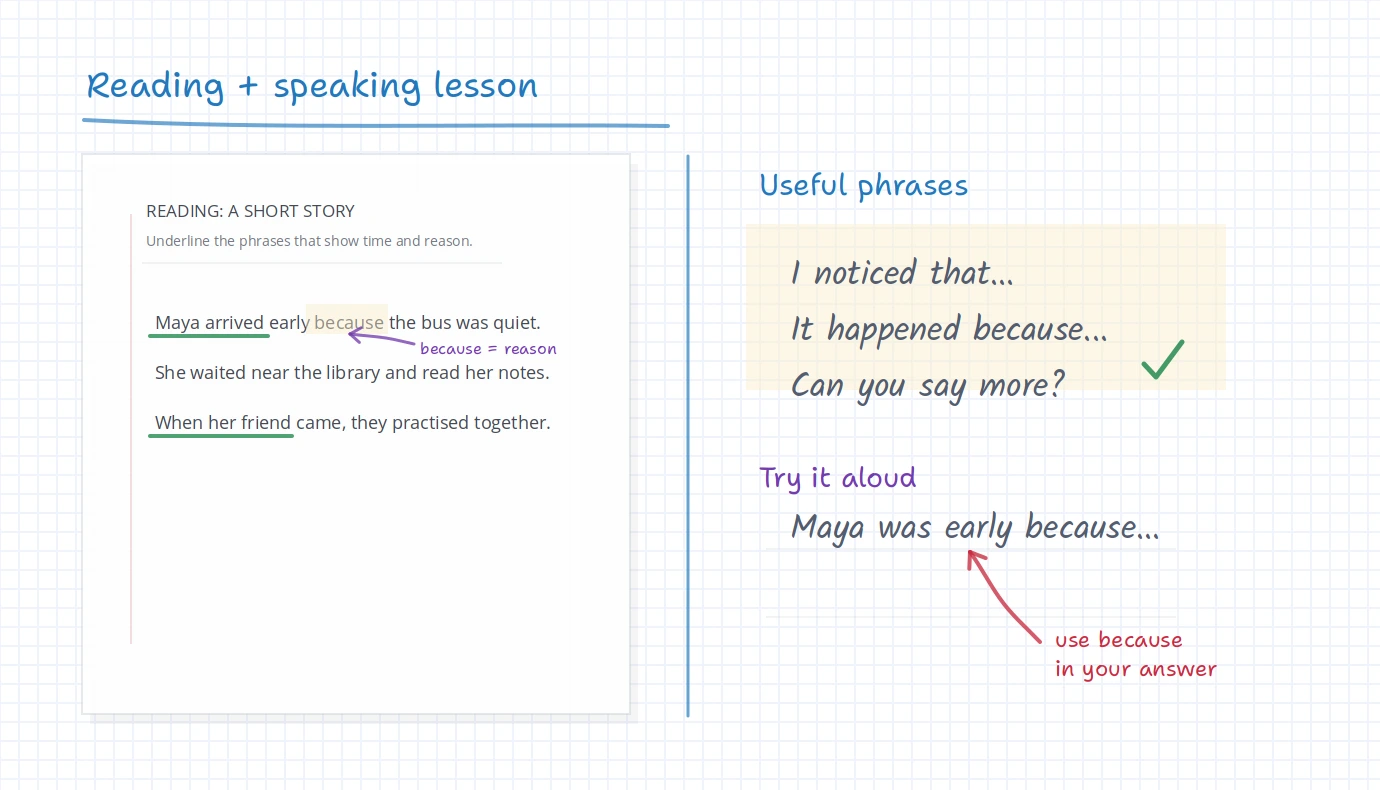
A language lesson is rarely just a conversation or just a worksheet. A tutor may start from a short passage, pause on one sentence, collect useful words, and ask the student to try the phrase in their own answer.
That is hard to do cleanly if the lesson is split between a video call, a shared document, chat messages, and separate notes. iDroo gives the lesson one shared page where both teacher and student can see what was read, corrected, practised, and left for next time.
A practical lesson flow
Move from reading to speaking without losing the useful phrases
The board can work like a lightweight lesson plan. It keeps the text visible while the teacher turns it into grammar practice, vocabulary recall, and spoken or written output.
Start with a short passage
Paste or upload a short text, dialogue, homework excerpt, or student paragraph so both people are working from the same material.
Mark the language that matters
Underline time phrases, circle new vocabulary, highlight connectors, or add a quick reminder next to the sentence.
Correct one sentence at a time
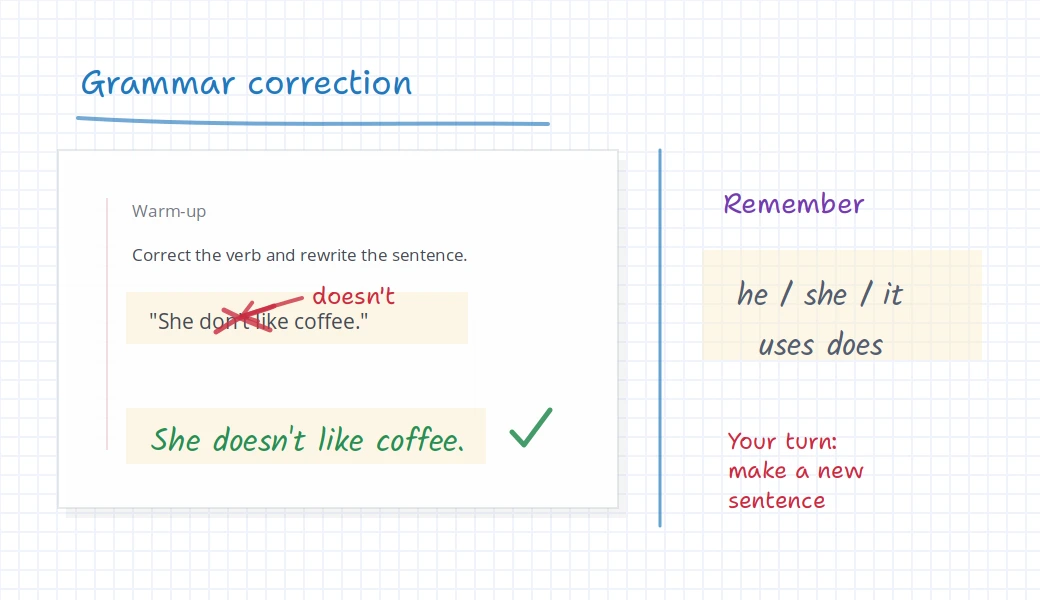
Keep the original visible, cross out the exact mistake, and ask the student to rewrite a clearer version nearby.
Turn the notes into a response
Leave useful phrases on the board while the student answers a prompt, explains their choice, or practises a short conversation.
Grammar and writing feedback
Correct the sentence without hiding the student’s first attempt
Students often need to see the original sentence and the correction together. If the first attempt disappears, the explanation becomes harder to remember.
On an iDroo board, the tutor can mark the exact word, write the corrected version, and leave a small rule or reminder next to it. That makes grammar feedback feel less like a red mark and more like a reusable note for the next sentence.
Where it fits
Useful for more than correcting grammar
Reading passages
Highlight key phrases, mark the sentence that answers a question, and keep context visible while discussing meaning.
Sentence rewriting
Correct one line, rewrite it nearby, and ask the student to make a new sentence with the same pattern.
Vocabulary recall
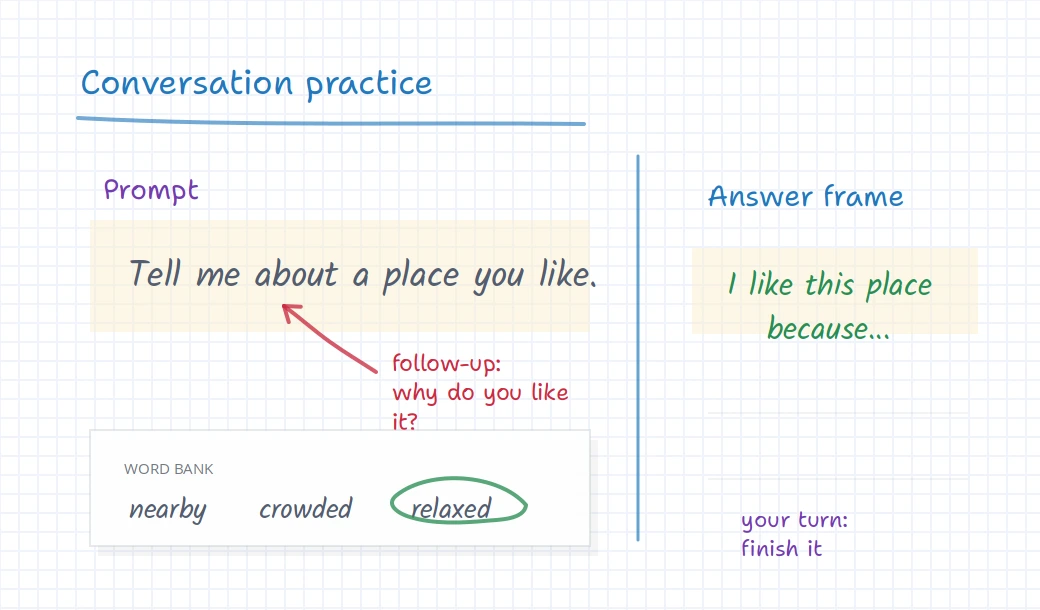
Build a small word bank during the lesson and circle the words the student should reuse in their answer.
Speaking prompts
Keep prompts, phrase starters, and follow-up questions visible while the student speaks.
Speaking practice
Keep the prompt, word bank, and answer frame on the same board
Speaking practice is easier when the student can glance at the words they are trying to use. The board does not need to be busy. A prompt, a few useful words, and a simple answer frame are often enough.
Because the work stays on the board, the tutor can return to the same phrases later, add a short writing task, or leave the student with a clear review point after the lesson.
Before you try it
Questions language tutors usually ask
Is this only for English tutoring?
No. The same board workflow fits any language lesson where the teacher wants to mark text, collect vocabulary, correct sentences, or support speaking practice.
Can students write or type on the board too?
Yes. A tutor can leave space for a rewrite, short answer, vocabulary example, or conversation notes so the student participates instead of only watching.
Can I use reading texts or homework screenshots?
Yes. You can bring visual material onto the board and work over it with highlights, notes, corrections, and follow-up prompts.
Can students review the board after the lesson?
The board can remain available after the session, which helps students return to corrected sentences, phrase lists, and practice prompts before the next lesson.
Try iDroo with your next language lesson
Start with one short passage or student sentence. Mark it up live, add a phrase bank, and let the student continue from the same board.
Create your free account